Airport tycoon for iPhone

Run your own airport.

Start with a grass strip and a tiny tower. Walk the floor, check in passengers, hire staff and fly until it is a world hub. Plays offline. No account.

I · The manager

You are the manager.

Pick your look, name your airport and your airline. One person walks this terminal, and it is you.

II · Walk

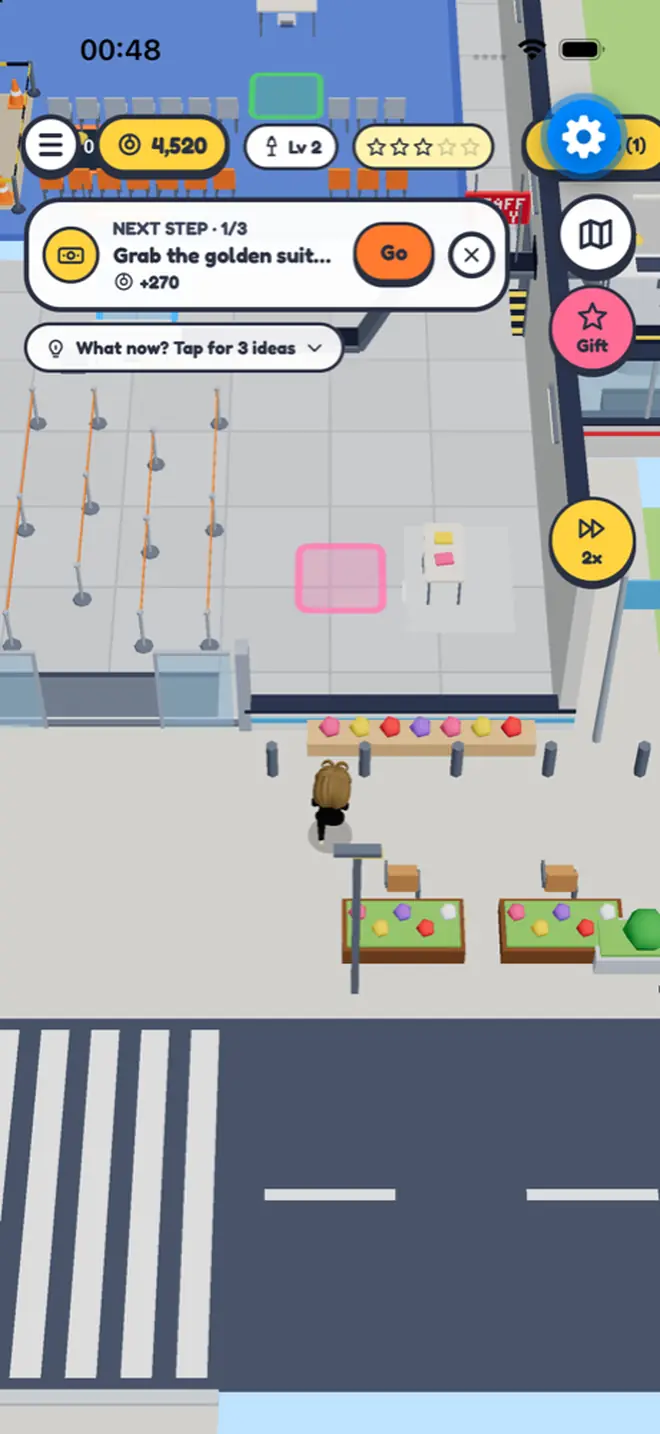
Drag anywhere to walk.

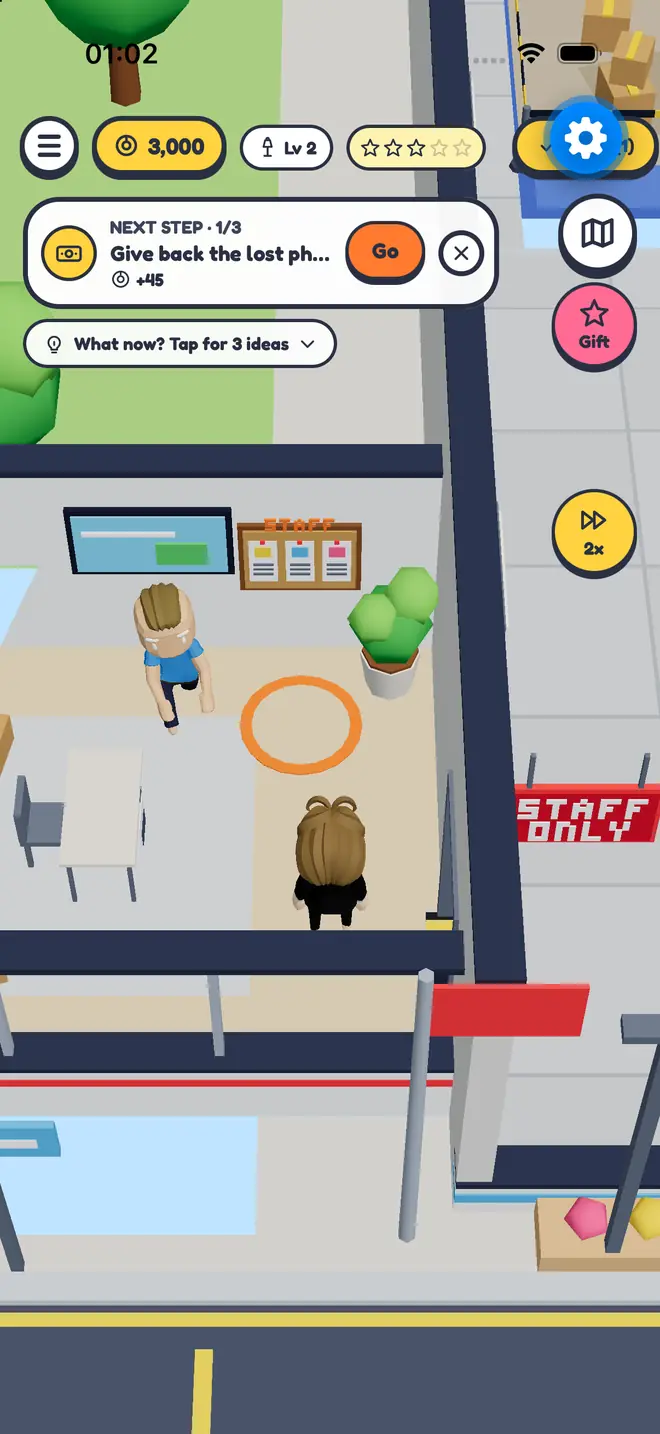
No menus, no tab bar. Follow the glowing path and step on a pad to collect coins or open a station.

III · Check-in

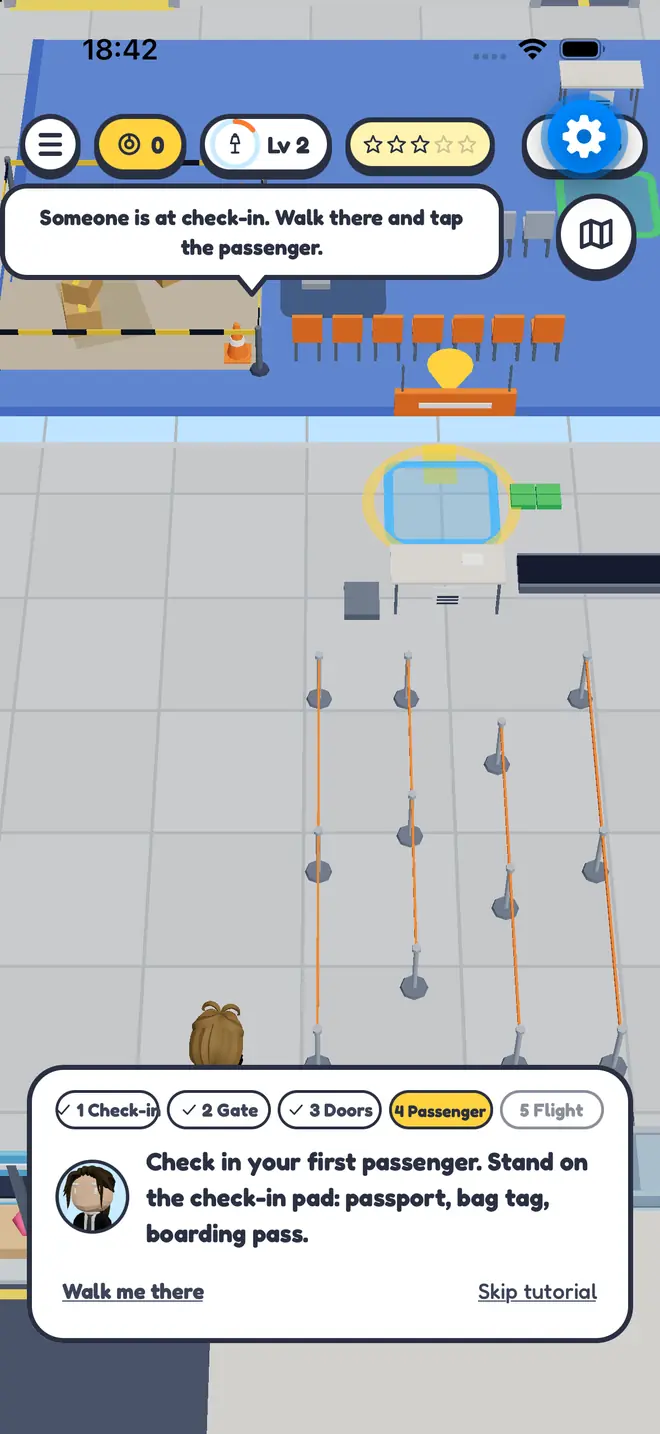
Check in your first passenger.

Passport, bag tag, boarding pass. Every passenger pays. Nobody works the desk yet, so you do.

IV · First flight

Book your first flight.

No plane yet? Rent one for the trip to Amsterdam Schophole. You pay for the seats, the ticket money is yours.

V · Staff

Hire people to run it.

Every candidate has a wage and a strength: careful, fast, a born seller. Staffed desks keep earning while you walk elsewhere.

VI · The crowd

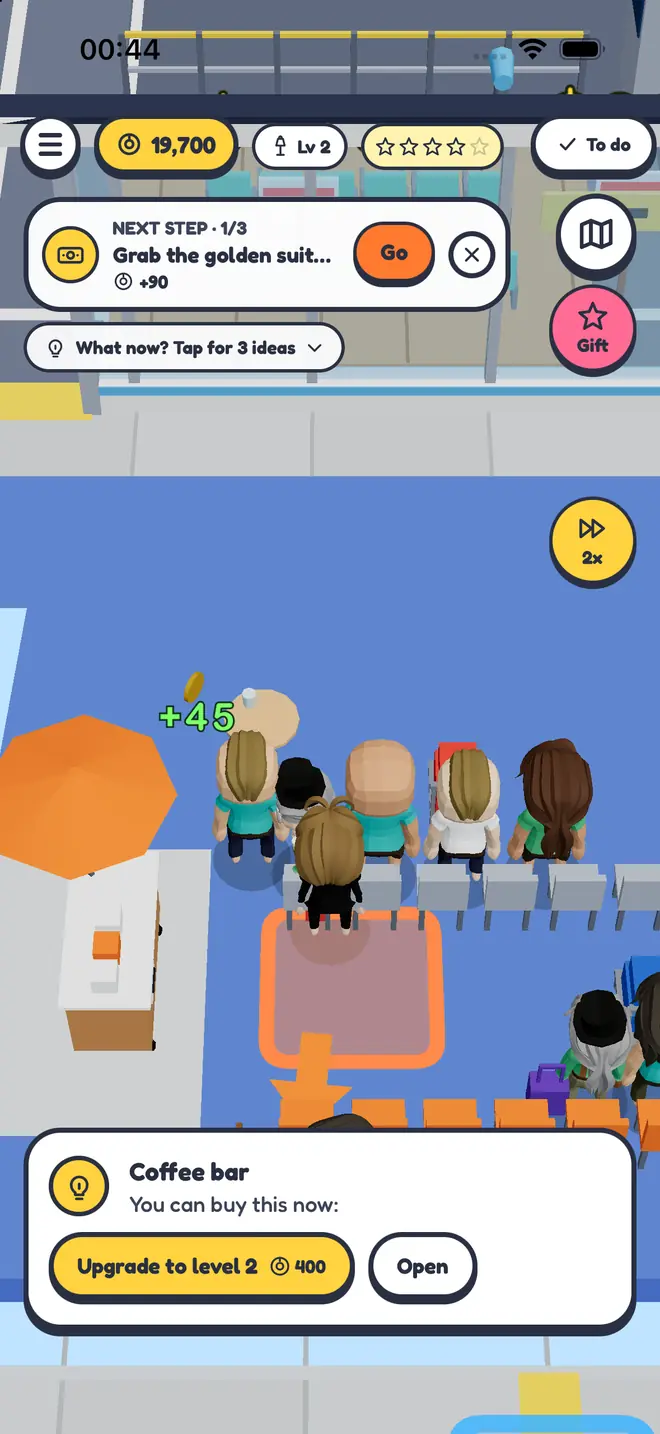
Fill the terminal.

Travellers walk in, queue, shop and board. Coffee bars, shops and duty free sell to everyone waiting for a flight.

VII · Planes

Buy your own planes.

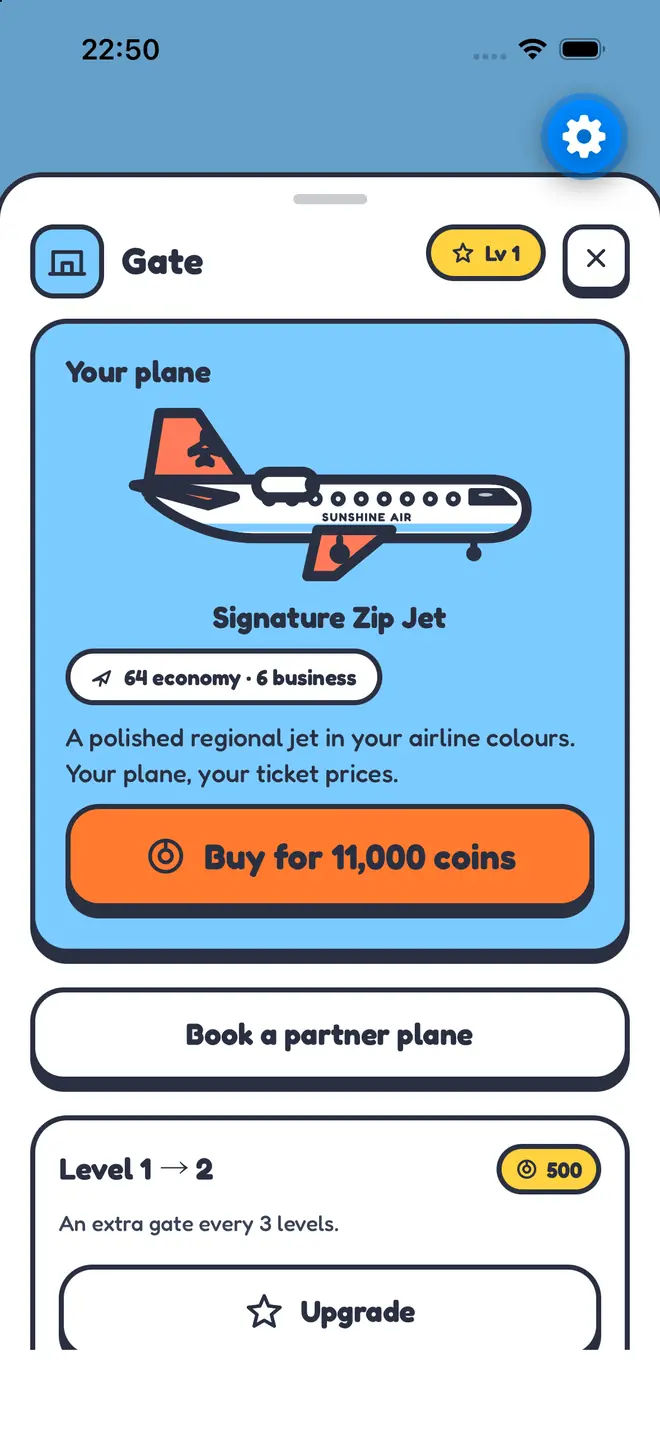
From a 12-seat Puddle Jumper to the 400-seat Sky Palace. Paint them, set ticket prices and put them on the board.

VIII · Grow

Build terminal two.

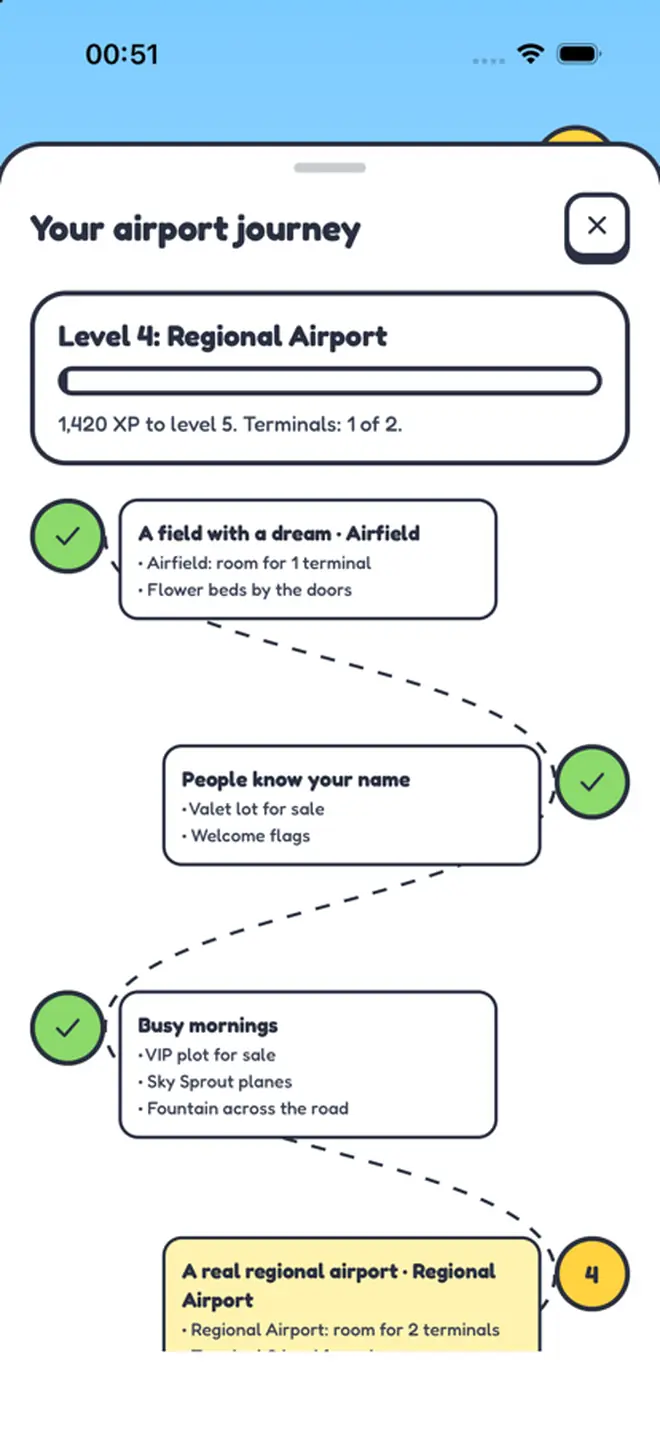
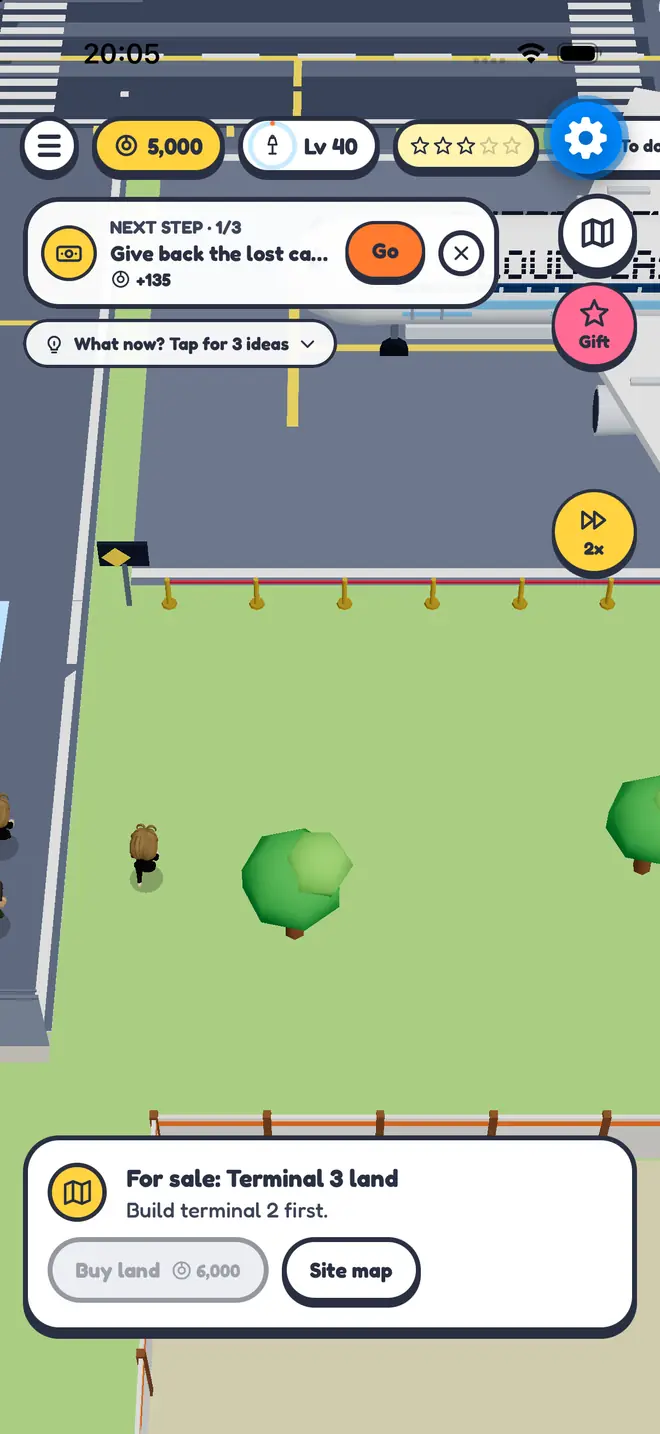
Buy the Terminal 2 land, watch it go up and level up to Regional Airport. Halls, runways and routes follow, all the way to Level 80.

IX · Show planes

Host a show plane.

The Mach Dart supersonic jet wants to visit tomorrow. Say yes and it flies a low pass, lands and parks at a stand while spectators line the rope.

Grass strip to Global Icon

Your airport. Your rules.

00
First shift
Scroll the first shift

How it plays

One shift.
Five steps.

One real second is one game minute. The day runs from the morning rush to the 22:00 summary in the Office, then the next shift starts.

  1. 06:00

    Market

    Hand out flyers at the kiosk. Billboards, radio and social bring more people later.

  2. 08:30

    Check in

    Passengers queue at the desk and at security. Serve them yourself or hire an agent.

  3. 11:00

    Fly

    Book flights at the gate, clear them at the tower and watch them take off. Or fly one yourself.

  4. 15:00

    Collect

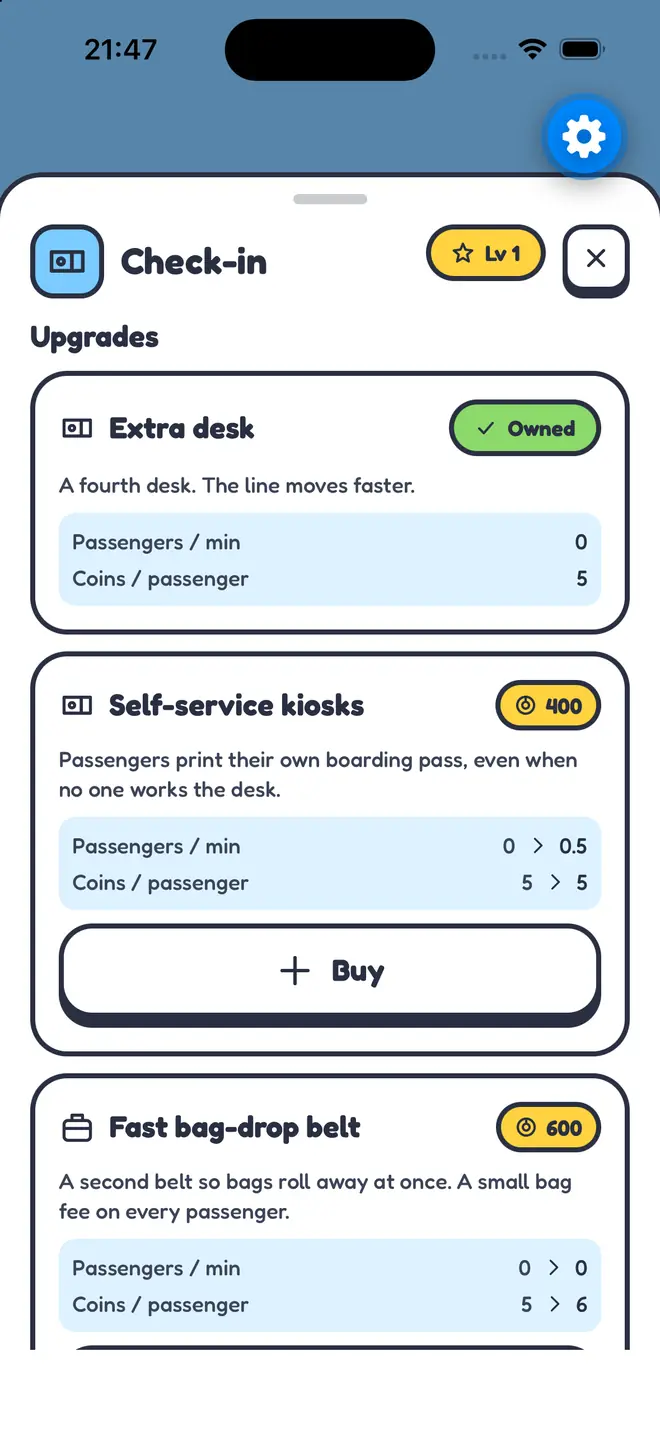
    Coins pile up at every staffed station until you walk by. Spend them on upgrades.

  5. 22:00

    Close

    The Office shows the day's money. While the app is closed your team keeps earning at half rate, up to 8 hours.

Features

A whole airport
in your pocket.

Grow from Level 1 to Level 80

A grass strip, a tiny tower and 300 coins. Then security, shops, a hangar, a second terminal, more runways and long-haul routes. Your airport gets a new title at 10, 20, 40, 60, 70 and 80, up to Global Icon.

80levels
8plane types
0accounts needed
The airport journey screen in MyAirport, showing levels and what each one unlocks

You walk the floor

A 3D terminal seen from above. Drag to walk, step on glowing pads to collect coins, open stations and build new ones.

Hire a team

Check-in agents, security officers, baggage handlers, pilots and a tower controller. Each has a wage, a strength and a name.

Fly it yourself

Take the controls for a flight, or run the tower and clear the runway yourself. Planes use real-world runway lengths.

Routes with a wink

Fly to Paris Charles de Gull, Rome Flewmicino, Reykjavik Keflabrrr and New Yolk Kennedy. Partner airlines send offers to your tower.

Things go wrong, on purpose

A lost passport, a jammed check-in desk, a passenger running late. Walk over and sort it out, or let your staff handle it.

It keeps going while you're away

Close the app and your team keeps earning at half rate for up to 8 hours. A quiet notification tells you when the coin piles are full, if you allow it.

Fair play

Free to play.
Never a wall.

Every station, every expansion, every route and every plane except the Whale can be bought with coins you earn by playing. Money buys more, faster or prettier. Never progress you can't earn.

  • The shop never opens by itself. You open it from the coin counter, the Office or a premium plot.
  • You see what you get first. Every item shows the before and after in the game's own numbers.
  • Looks are only looks. Uniforms, shirts and plane paint change nothing else.
  • Purchases stay yours. They survive Start over, and Restore purchases brings them back on a new phone.
0

accounts, trackers, ad networks and analytics tools in the game. Your airport saves on your phone.

Private by design

No account.
No tracking.

  • Plays offline. The game never talks to our servers. There are none.
  • One save, on your phone. Airport name, progress and settings stay on the device.
  • Notifications are local. We ask the first time one is useful, never at launch.
  • Apple handles payments. We never see your card or Apple Account details.

Read the privacy policy

FAQ

Questions.

Is MyAirport free?

Yes. The game is free to download and everything in the core game can be earned with coins. Optional in-app purchases buy extra land, exclusive buildings, looks, coins and boosts.

Do I need an account or internet?

No. There is no sign-up and the game plays offline. You only need a connection to download it and to buy or restore purchases through the App Store.

What happens when I close the app?

The clock stops for you, but your staff keep working. When you come back they have earned coins at half rate for up to 8 hours. The Pro Manager upgrade raises that to 24 hours at full rate.

How do I get my purchases on a new phone?

Sign in with the same Apple Account, open the shop and tap Restore purchases. Land, buildings, style packs and an active Airport Pass come back. Coins and boosts are used up when bought and can't be restored. Your save itself stays on the old phone unless you restore the whole phone from an iCloud or computer backup.

How do I cancel the Airport Pass?

On your iPhone open Settings, tap your name, then Subscriptions, choose MyAirport and tap Cancel Subscription. Cancel at least 24 hours before the renewal date to avoid the next charge. Details are on the support page.

When does it come out?

MyAirport is in testing and coming soon to the App Store for iPhone. Questions before then? Email bas@springdigitalcommerce.com.

MyAirport app icon

Coming soon

Clock in.

MyAirport is coming soon to the App Store for iPhone. Free to play, offline, no account.

Coming soon to theApp Store

Made for iPhone.